Listing Light ·presents
01 / 27
A talk for real-estate agents

Cloning yourself
with AI.

Property tours, voiceovers, virtual staging, and a clone of you — done before tomorrow.

May 2026 · Bay Area
Scroll to begin ↓
Spot the difference
02 / 27
Warm-up

One of these is 100% AI.
The other is about 90%.

Video A
A guy. Talking to camera.
Video B
A walkthrough of a home.
The reveal
03 / 27
Video A

100% AI.

Visuals, voice, and edits — all generated. No camera. No editor. No retakes.

01
Visuals
AI-generated talking head.
02
Voice
AI clone of my voice.
03
Edits
AI-cut, AI-paced, AI-finished.
What changes
04 / 27
Your new workflow

Idea → AI tools → Done.

The old way
  • Hair, makeup, lighting, look pretty for camera
  • Take 1. Take 2. Take 37.
  • Ship the raw to an editor
  • Wait days for V1, V2, V3…
  • Pay editor fees per video
The new way
  • Have an idea
  • Open a few AI tools
  • Finished product, minutes later
Days → minutes.
The other reveal
05 / 27
Video B

90% AI.

The girl on camera was real. Every interior shot after that — AI, generated from real photos I took on the listing.

Talking head
Real.
Filmed on a real camera, with a real face.
Walkthrough
AI from my stills.
Same photos I would have delivered anyway — now they move.
Photo → video, with AI
06 / 27
Why we switched

The house looks more like the house.

01
Better angles
Frame the room the way it actually feels.
02
Truer color
No more orange tungsten or grey overcast pull.
03
Smooth motion
No gimbal jitter. No micro-stumbles.
04
Impossible shots
Push through walls. Hover where a drone can't.
This is the only way we've shot listings for the past month.
Where this is going
07 / 27
Closer than you think

100% AI
property tours.

Amazing tours, a fraction of today's cost. Your clone hosts. You're not even there.

Question for the room
08 / 27
Before we dive in

If you had an AI clone,
how would you use it?

Weekly market updates Email newsletter videos Instagram stories Open-house invites Buyer education shorts Neighborhood guides Listing presentations Closing-day greetings

What would you record once and ship a hundred times?

What you actually buy back
09 / 27
The payoff

More hours. More cash flow.

Time, back
+ hours

Time you spend on showings, listing presentations, or just with your family.

Cash, in
+ deals

Show up everywhere, every week. More touches → more listings → more closes.

Part 01 · The clone
10 / 27
HeyGen · $15 / mo

Clone yourself in
10 minutes.

The three steps
11 / 27
Step-by-step

That's it. Really.

1
Dress nicely.
Clean background. Tripod. Whatever you'd wear to a top-tier listing appointment.
2
Hit record.
Talk to camera for 15 seconds to 3 minutes. Content doesn't matter — see next slide.
3
Upload to HeyGen.
Wait a few minutes. You now have a clone you can put anywhere — with any background you want.
Before you hit record
12 / 27
Recording rules

The clone copies everything — even the bad bits.

1
Don't twitch.
Whatever you do, the clone does — forever.
2
No huge movements.
Calm and confident reads better than energetic.
3
Breathe through your nose.
Mouth open between sentences makes the clone look… off.
4
Eye contact, always.
Lock on the lens for the whole take.
5
Don't overthink the words.
The clone only learns expressions. Ramble.
6
Your clone lives where you film.
For now. Can't walk it down the street. Yet.
Part 02 · The voice
13 / 27
You have two options

Now make it
speak.

Pick your path
14 / 27
Two ways to drive the clone

Use your real voice. Or clone it.

Option A · Most realistic
Real voice,
lip-synced.

Open Voice Memos. Talk. Hand the recording to your clone. It lip-syncs you, perfectly.

  • Most convincing — it's literally you
  • You still have to read each script
Option B · Most scalable
Clone the voice
itself.

Eleven Labs reads anything in your voice — books, scripts, market updates — in seconds.

  • Text to speech in your voice
  • HeyGen's voice tool isn't there yet. Use Eleven Labs
Eleven Labs workflow
15 / 27
Clone your voice

Even easier than the face.

1
Grab a book.
Easy reading. Nothing fancy.
2
Voice memo.
Phone close to your mouth.
3
Read 15–30 min.
Coughs, yawns, sneezes — all fine.
4
Upload it.
Eleven Labs does the rest.
True story →
I made two clones. The one I recorded sick — fever, sneezing, congested — ended up sounding better than the healthy one. If your first clone isn't great, try again. Maybe catch a virus first.
End-to-end
16 / 27
Stitched together

Idea → script → voice → you, on screen.

01
Idea
From your head, or from Claude.
02
Script
AI writes the words.
03
Eleven Labs
Reads it in your voice.
04
HeyGen
You appear, lip-synced.
Pro tip
Once you nail your clone, you can plug it into any video — open houses, weekly updates, market reports.
Part 03 · The edits
17 / 27
Claude Design

Editing,
on autopilot.

Why it works
18 / 27
It matches your brand

Teach it once. It remembers forever.

A
Already have a brand?
Drop your site code in. Claude pulls colors, fonts, spacing — and uses them on every edit from then on.
B
Don't have one yet?
Chat with Claude for 15 minutes. You'll walk out with a foundation good enough to ship.
C
Want to evolve?
Just tell it. The memory updates. Every video from that moment on uses the new system.
Brand memory · Listing Light
Playfair Display
Inter · 400 / 500 / 600
Geist · UI / captions
rounded-3xl dotted grid soft shadows blue → orange wash
By the numbers
19 / 27
Claude vs human editor

Faster. Cheaper. Same caliber.

Human editor
Days
To turn around a single video.

Cost
$100s
Per minute of animation, this caliber.
Claude
~30 min
From footage handed in to first cut back.

Cost
$100 / mo
Damn near unlimited edits, all month.
Once you've got the rhythm, a video takes about 3 minutes of your time.
The full walkthrough
20 / 27
Take this home

A Notion guide,
step by step.

Every step, plus videos that walk you through editing with Claude Code. The only "hard" part — a timestamped script of exactly what you said — Claude Code helps with that, too.

Step-by-step Free Updated monthly

Scan for Notion guide
Scan with your camera
This month, on $100/mo
21 / 27
Spin your wheels

The possibilities are endless.

01
VA photo-editing site
Virtual twilights, staging, auto-sort by room.
02
Property website template
Single-listing site, branded, in one click.
03
4,000-agent outreach
Scraped contacts, AI-personalized emails, sent.
04
YouTube thumbnail bot
Viral-style thumbs, 20 title ideas, description.
05
Booking SMS automations
Texts fire whenever an agent books a shoot.
+ more
…and a dozen others.
There are no limits.
Part 04 · The photos
22 / 27
What AI does for stills

Staging. Twilight.
Bad-weather saves.

01 · Virtual staging
23 / 27
What's possible on the photo side

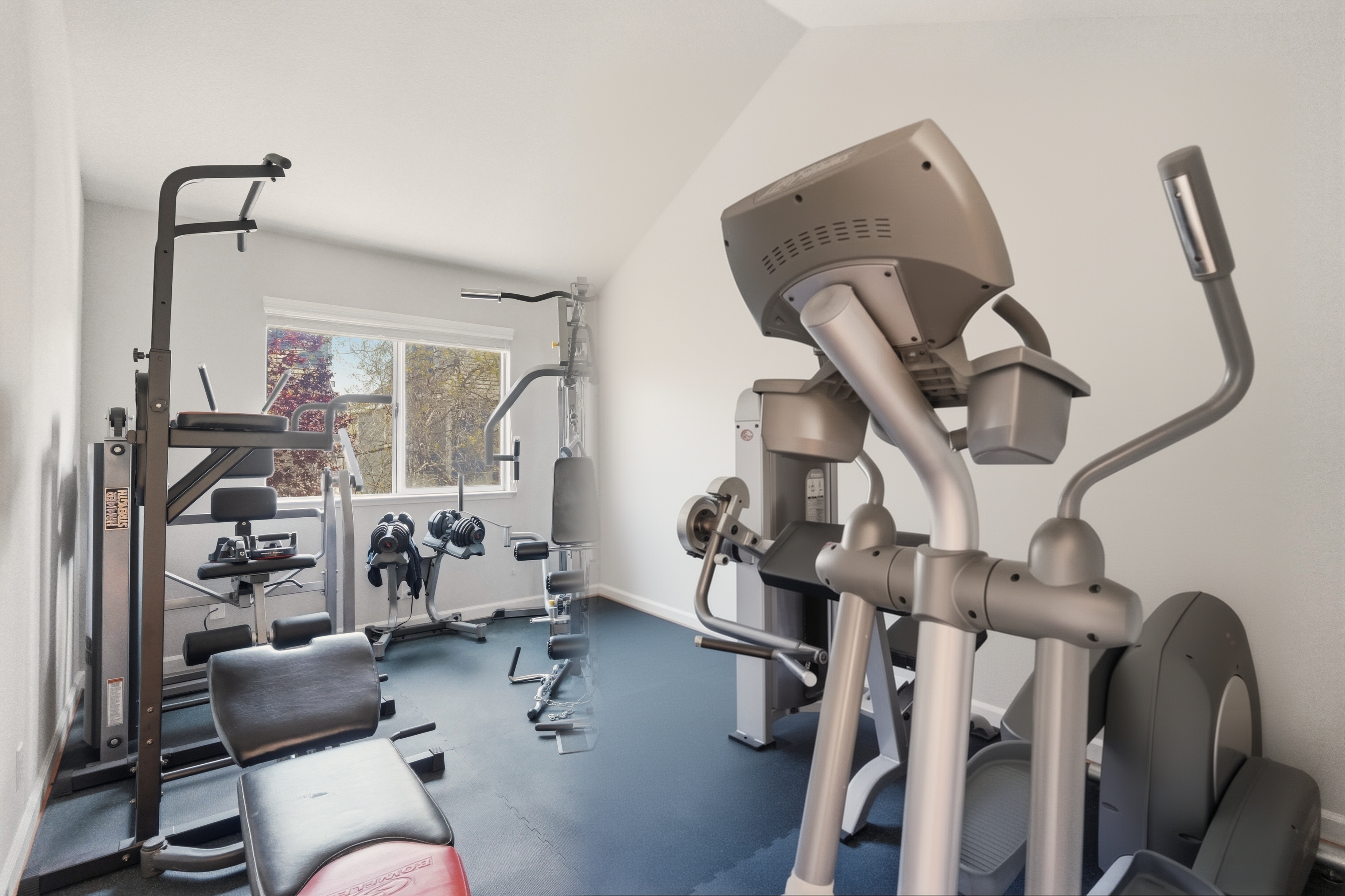
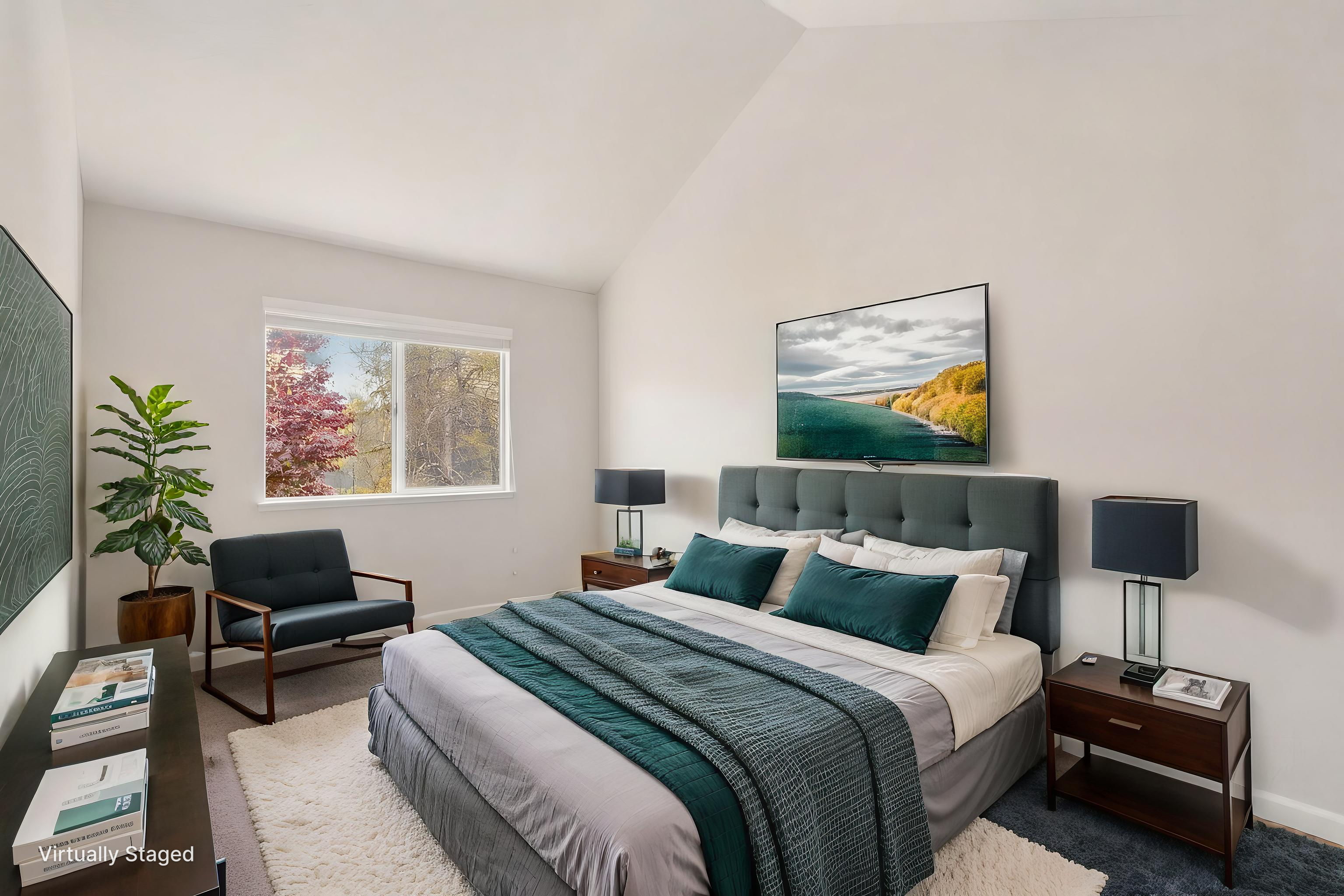
Virtual staging: was $25–40. Now ~$0.50.

Empty bedroom Before
Virtually staged bedroom After
An empty gym becomes a bedroom buyers can picture themselves in — for the price of a coffee.
We give it for free now
02 · Virtual twilight
24 / 27
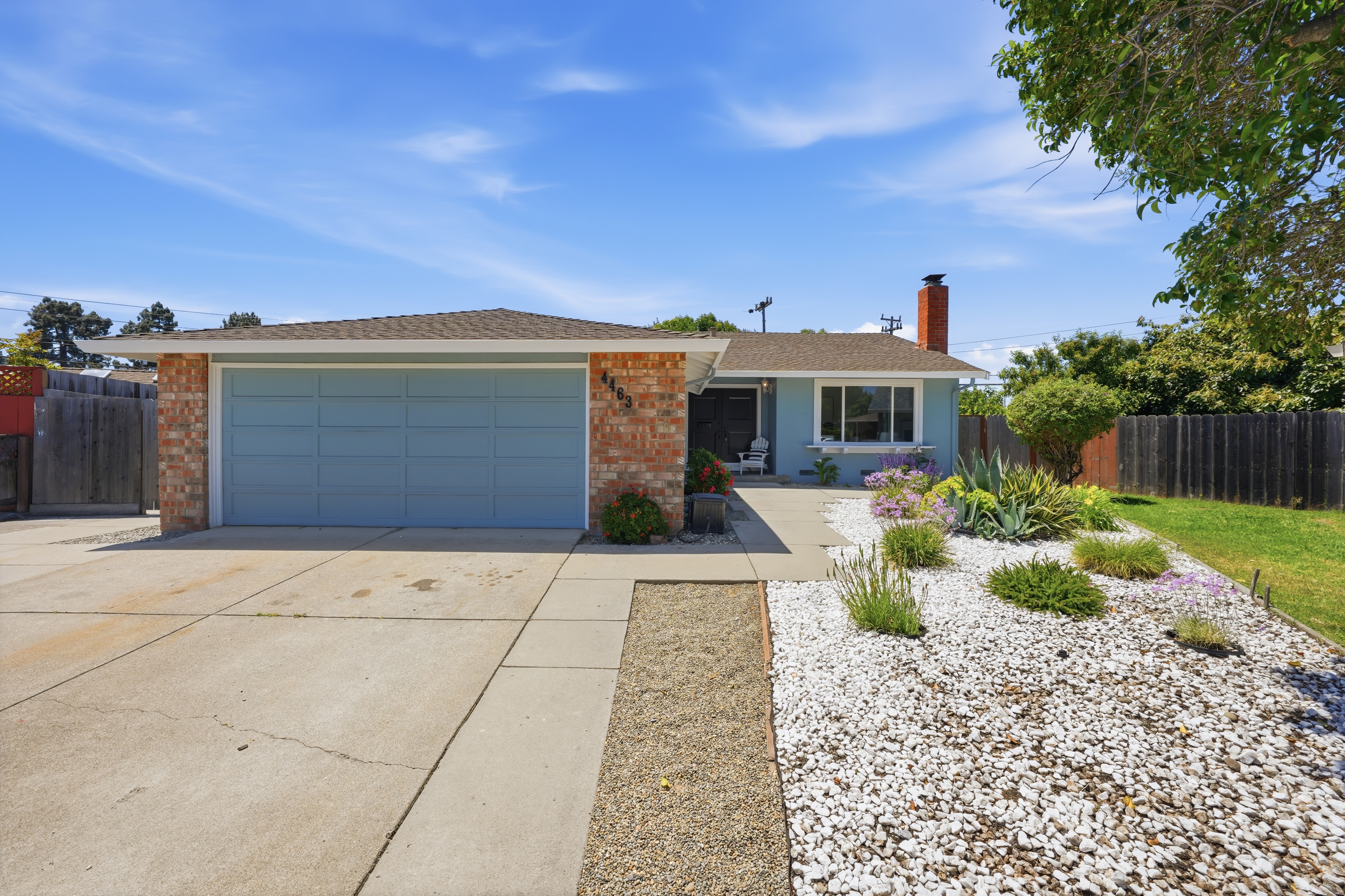
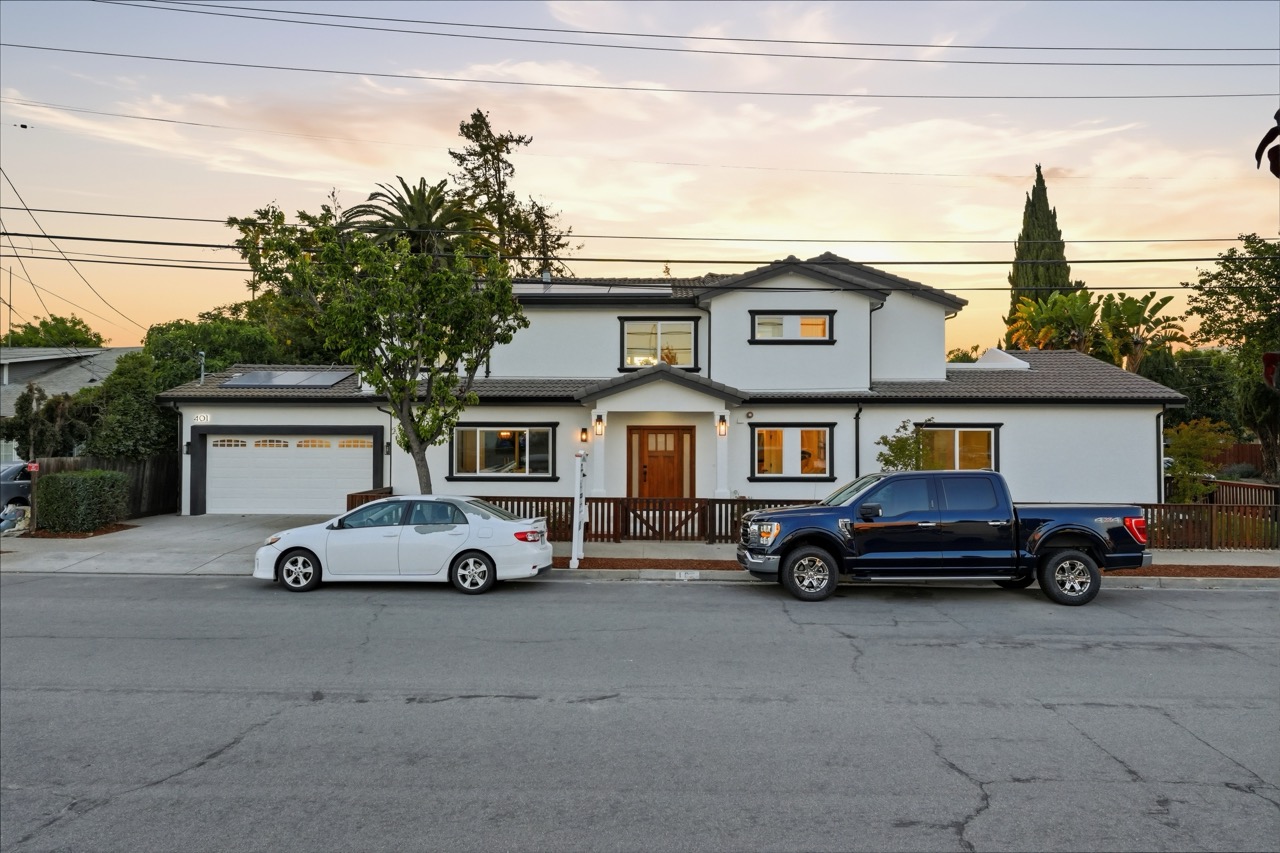
Daytime exterior → twilight

Shot at noon. Turned to sunset in seconds.

Daytime exterior Before
AI virtual twilight After
A clear blue-sky shot, dropped into golden hour. The right prompt is everything.
100% AI, no reshoot
03 · Real twilight, AI-enhanced
25 / 27
Already shot at golden hour?

Push it the rest of the way.

Real twilight, raw Before
Real twilight, AI enhanced After
Real sky, real light — turned up the volume. Warm windows, cleaner clouds, a sunset that actually pops.
Photographer + AI, together
Bad-weather save
26 / 27
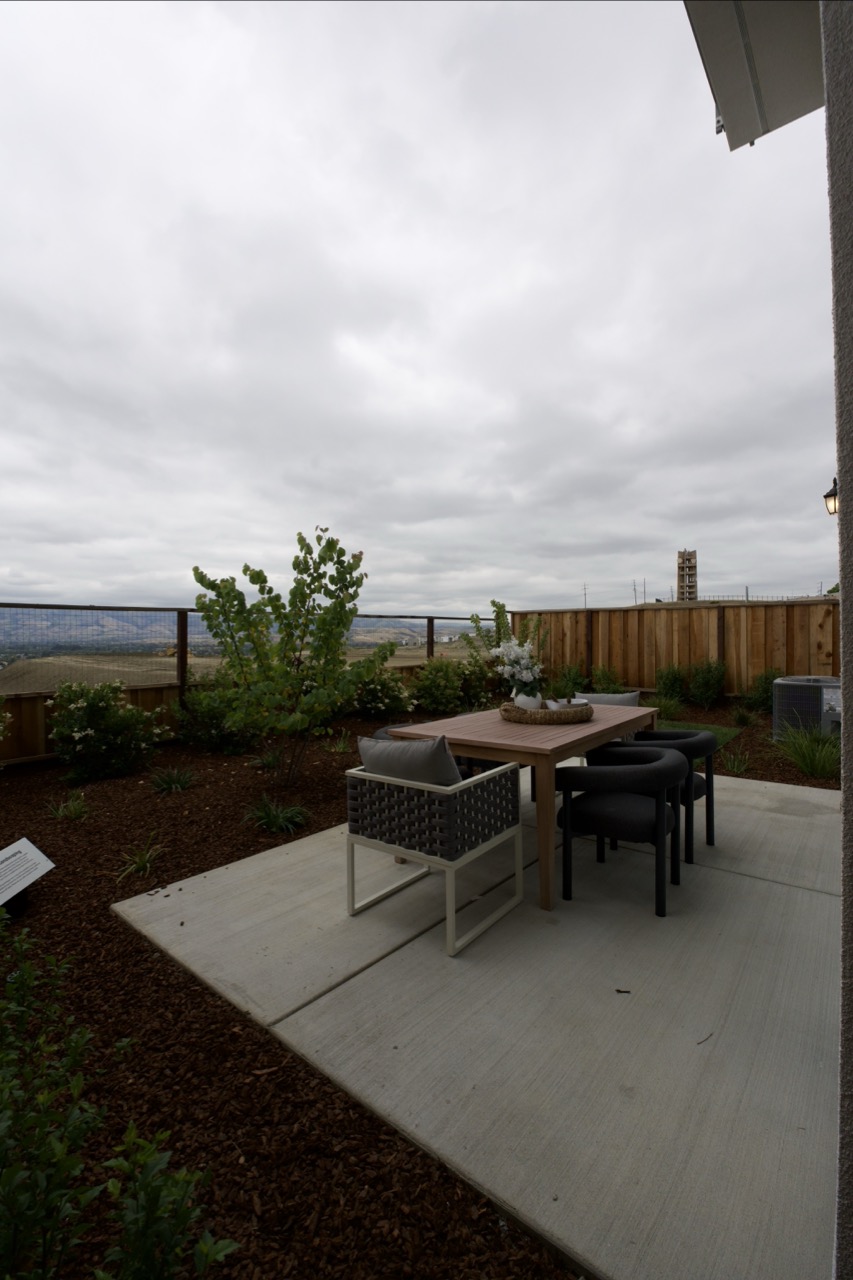
Cloudy, gloomy, nasty

Bad weather? Shoot photos anyway.

Live video on a grey day = depressing video. Photo-to-video AI lets us photoshop the sky and roll anyway.

Cloudy → blue Grey → golden No reshoot fees
Cloudy backyard before AI Before · grey sky
After · AI video
That's everything
27 / 27
Over to you

Questions?

Camera's in the back — sign up for HeyGen, record your 60 seconds, and walk out with a clone of yourself.

$15 / mo · HeyGen · Eleven Labs · Claude
Listing Light