Menu
1. Google Earth2. AI Studio3. Pexels4. Last resort All Trainings
All Trainings

For real estate agents

Four Ways to Get Copyright Free Images

Looking for copyright free images to use on your website? Here are three different ways to get them, plus a bonus, starting with a very unexpected but really powerful one: Google Earth.

Google Earth, made real with Nano Banana

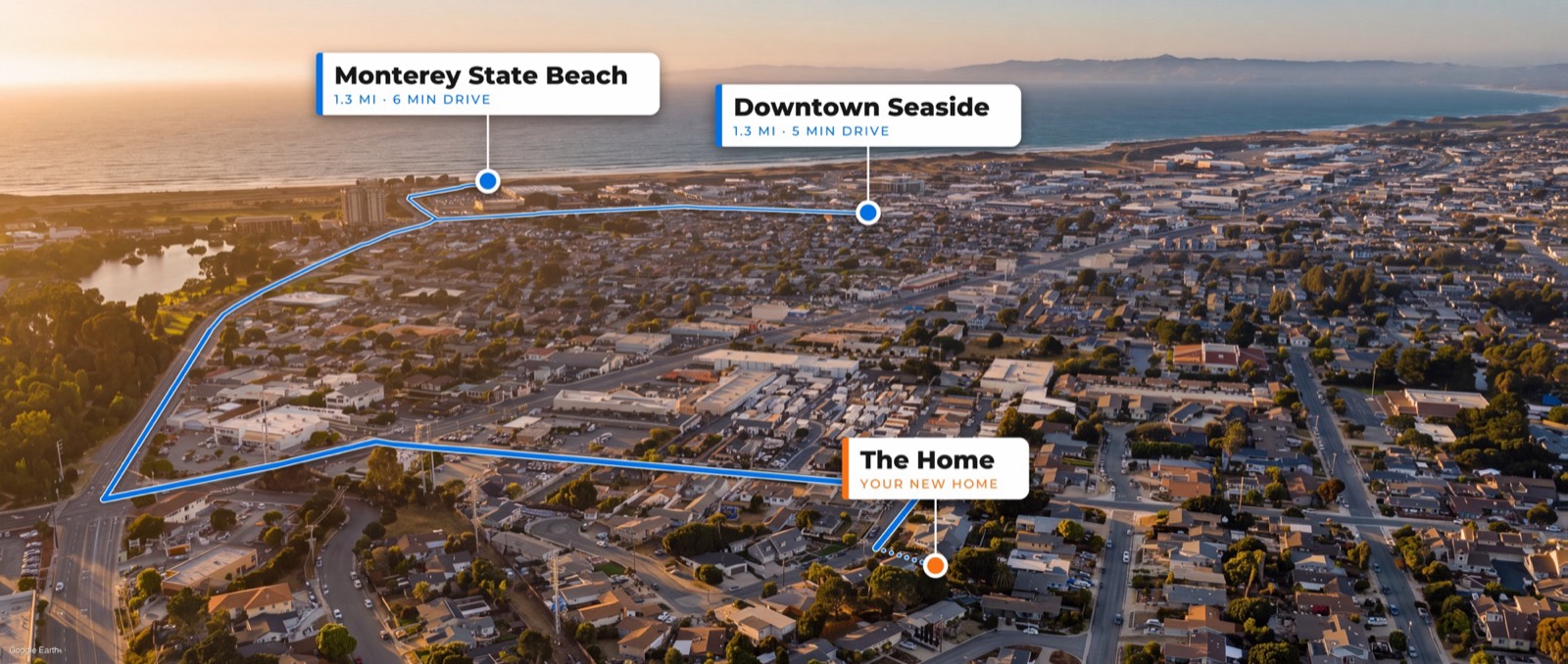
Google Earth gets you close to a drone shot. Nano Banana takes it the rest of the way.

  • Look up any city you want in Google Earth (I looked up Willow Glen), then open the map settings and click Clean to get rid of the labels and the rest of the junk on the map.
  • Make sure 3D buildings is turned on, switch from 2D to 3D, then hold Shift on your keyboard and drag to look around until you like the view.
  • In the settings, set the render quality to high so it looks as nice as possible. If it's set to low, it's going to look like garbage. Then take a screenshot.
  • Give the screenshot to Gemini's Nano Banana and ask: "Could you please make this Google Earth image look like an actual drone shot, add some clouds. And if you can make it sunset, that would be fantastic."
  • I've used this on a real listing. The agent asked me to mark the home, Monterey State Beach and Downtown Seaside, and we kept the sunset version. Two or three images cost about 21 cents.
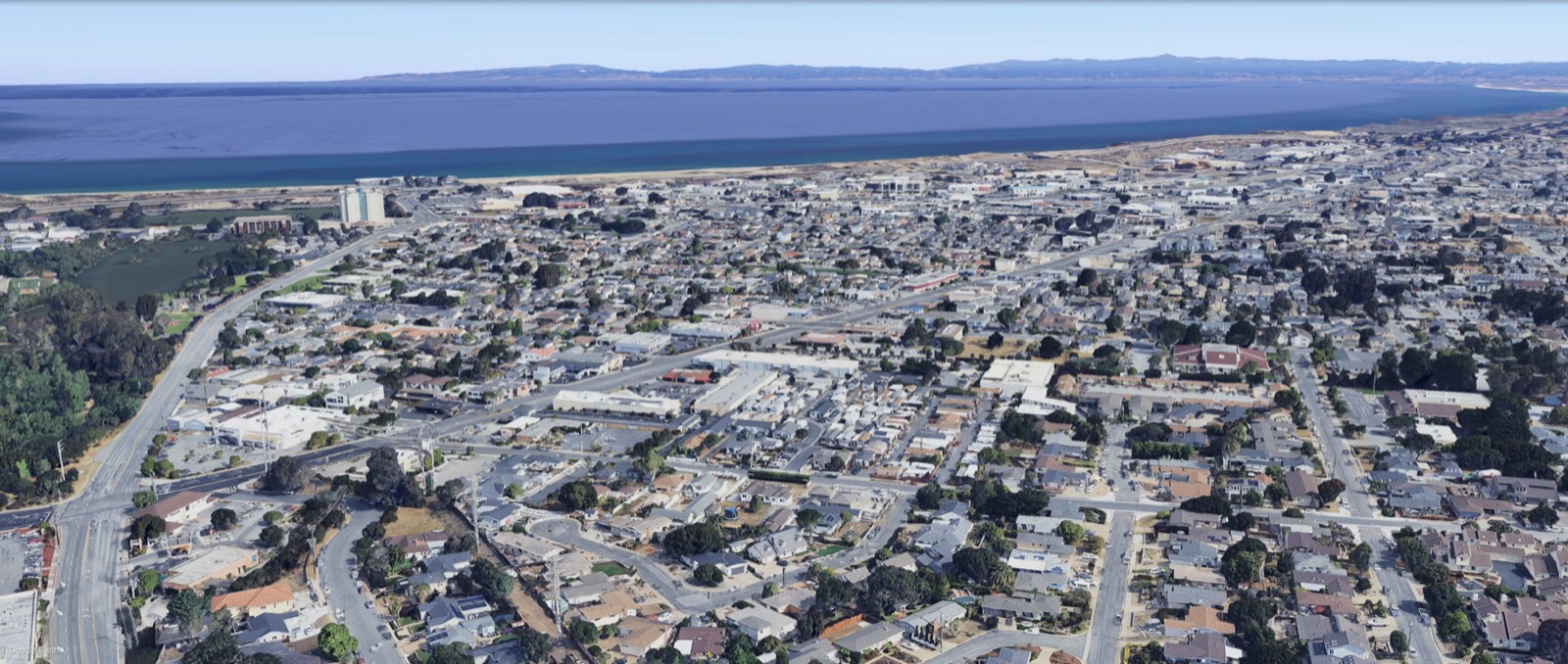
The Google Earth screenshot
What Nano Banana made of it
  • Clean: no labels
  • 3D buildings on
  • Switch 2D to 3D, hold Shift and drag
  • Render quality: high
  • Take a screenshot

Then give it to Nano Banana

Google AI Studio, grounded in Google Search

Gemini is Google, so it can look up what a place looks like before it makes the picture.

  • Look up Google AI Studio and open the top result, aistudio.google.com.
  • On the page, find the setting that says Grounding with Google Search. That is what lets Gemini know everything Google knows.
  • Type what you want, like "Make me an image of Stanford in Palo Alto in California." It does its research and comes back with the picture.
  • If you really zoom in you might tell it's AI, so ask it to remove all the people, and then you really will not be able to tell. Switch from 1K to 4K for a sharper picture.
  • Try other places too. I asked for the Apple campus in Cupertino, then said "Now let's make it look like as if it were sunset." For a website, it's plenty.
Make me an image of Stanford in Palo Alto
Remove all the people
1K to 4K
Now make it sunset

Grounding with Google Search on: it looks the place up first

Pexels

Real pictures that someone took, free to use.

  • Go to pexels.com. The pictures and videos there are free to use, and the quality is really good.
  • If you're in a popular place like the Bay Area, you can literally look up downtown San Jose or Stanford University and get real pictures of it.
  • Hover over a picture and hit Download. That's it.
Last resort: an entirely new image

This is the final bonus for making it this far, for when you're really desperate.

  • Look up a couple of different images of the place, like downtown Willow Glen, download them, and give them all to Gemini, GPT or any AI you want.
  • Ask: "Could you make me an entirely new image based off of these images?" An entirely new image is the key. Ask for it at sunset too.
A few pictures of downtown Willow Glen
Gemini
GPT, or any AI
An entirely new image, at sunset

An entirely new image is the key

For real estate agents

Let me know if you have any questions

Hope it helped.

Back to all trainings
For real estate agents · by Listing Light